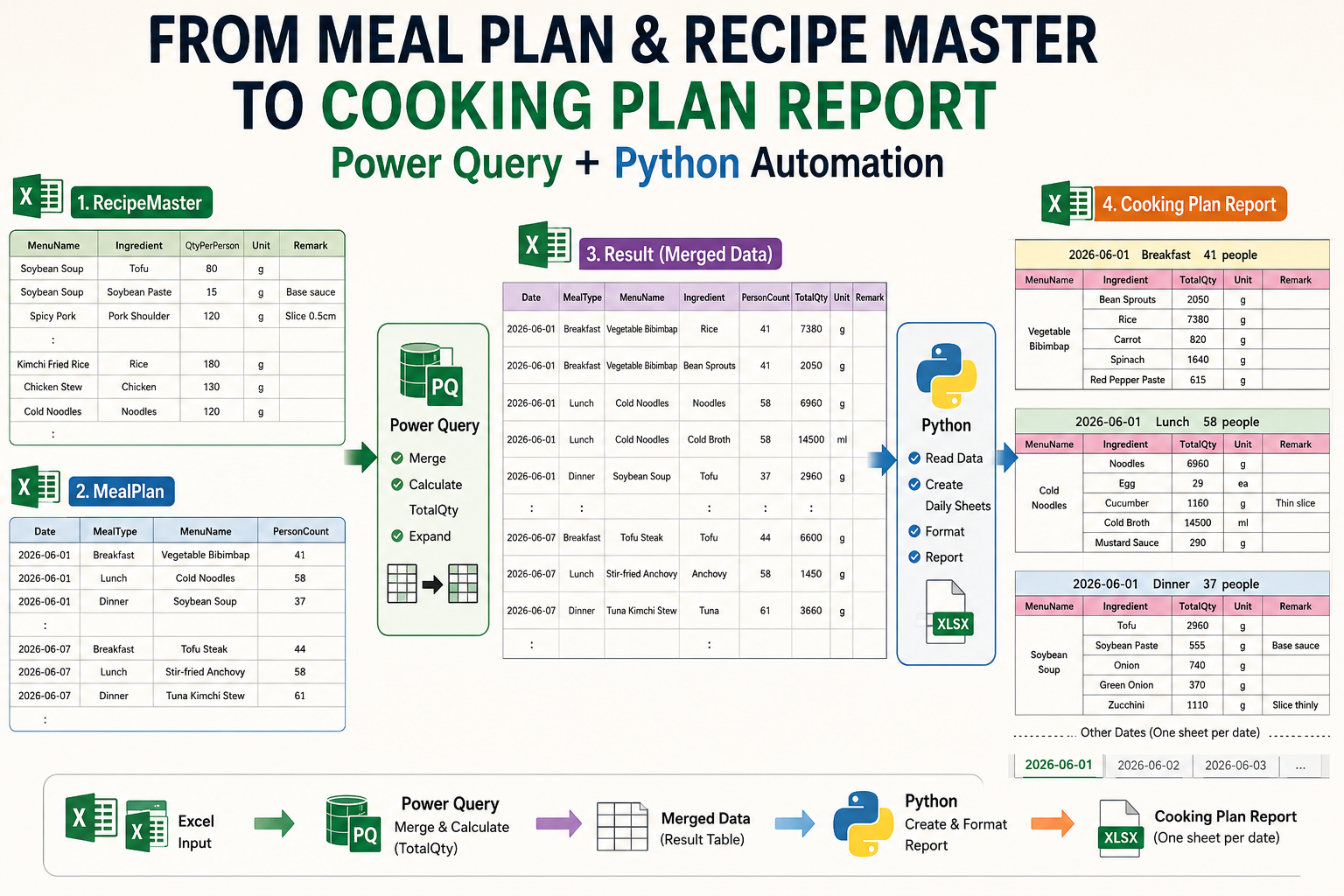
Managing meal plans manually can be time-consuming, especially when ingredient quantities must be adjusted based on the number of people.
In this example, Power Query and Python work together to automate the entire process.
Power Query automatically:
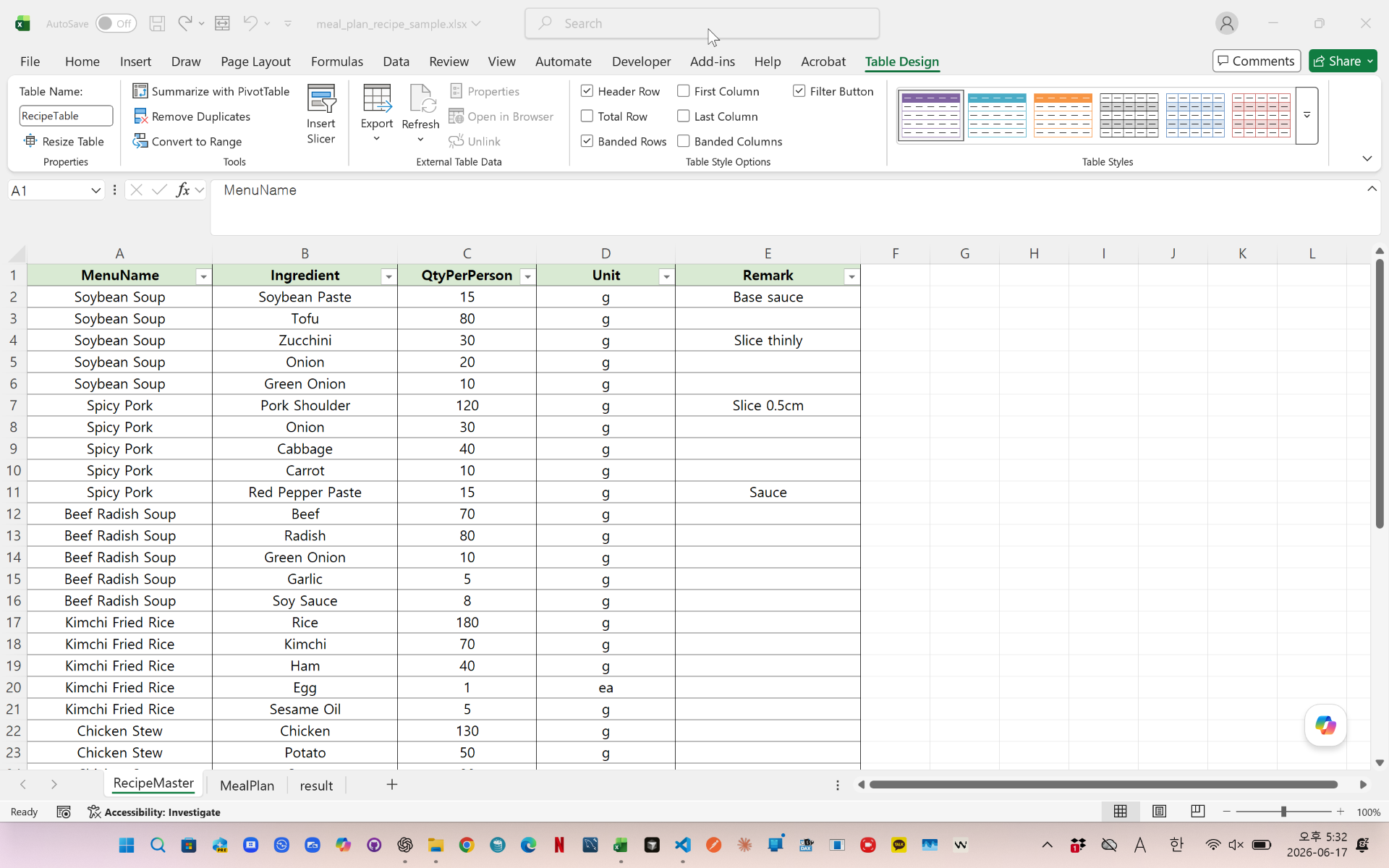
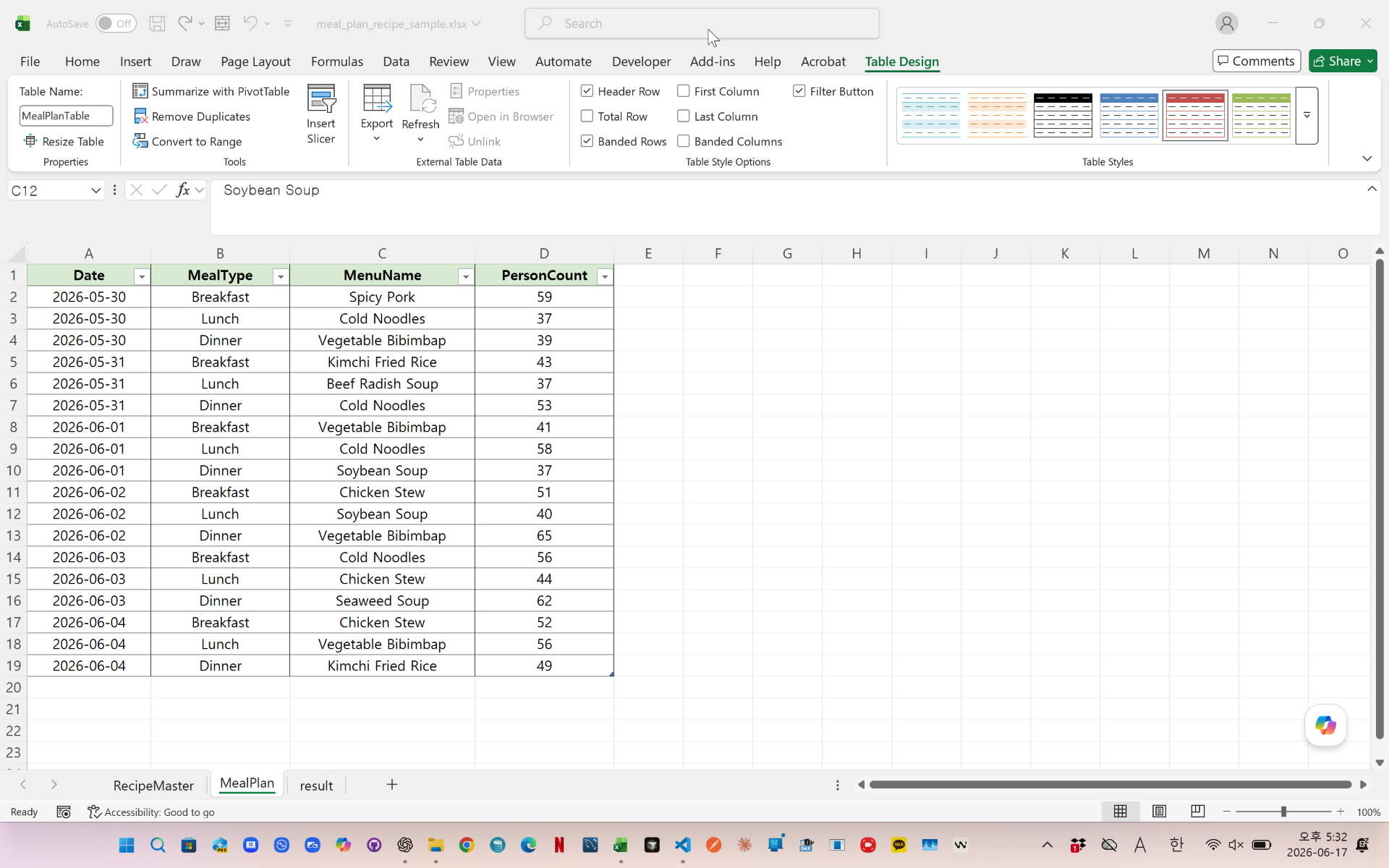
- Merges meal plans with recipe data
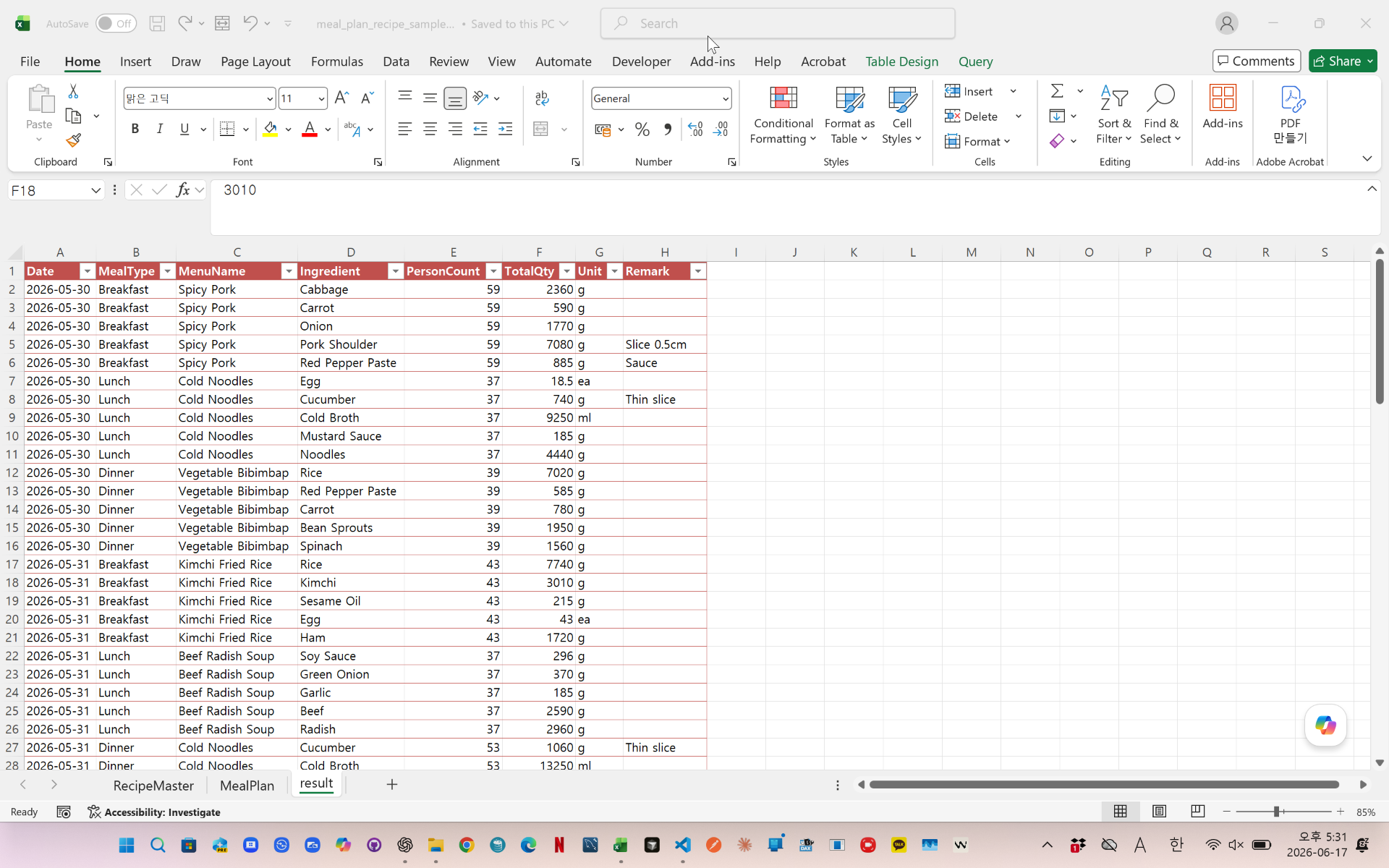
- Calculates ingredient quantities
- Adjusts quantities by person count
- Creates a clean meal planning dataset
Python then:
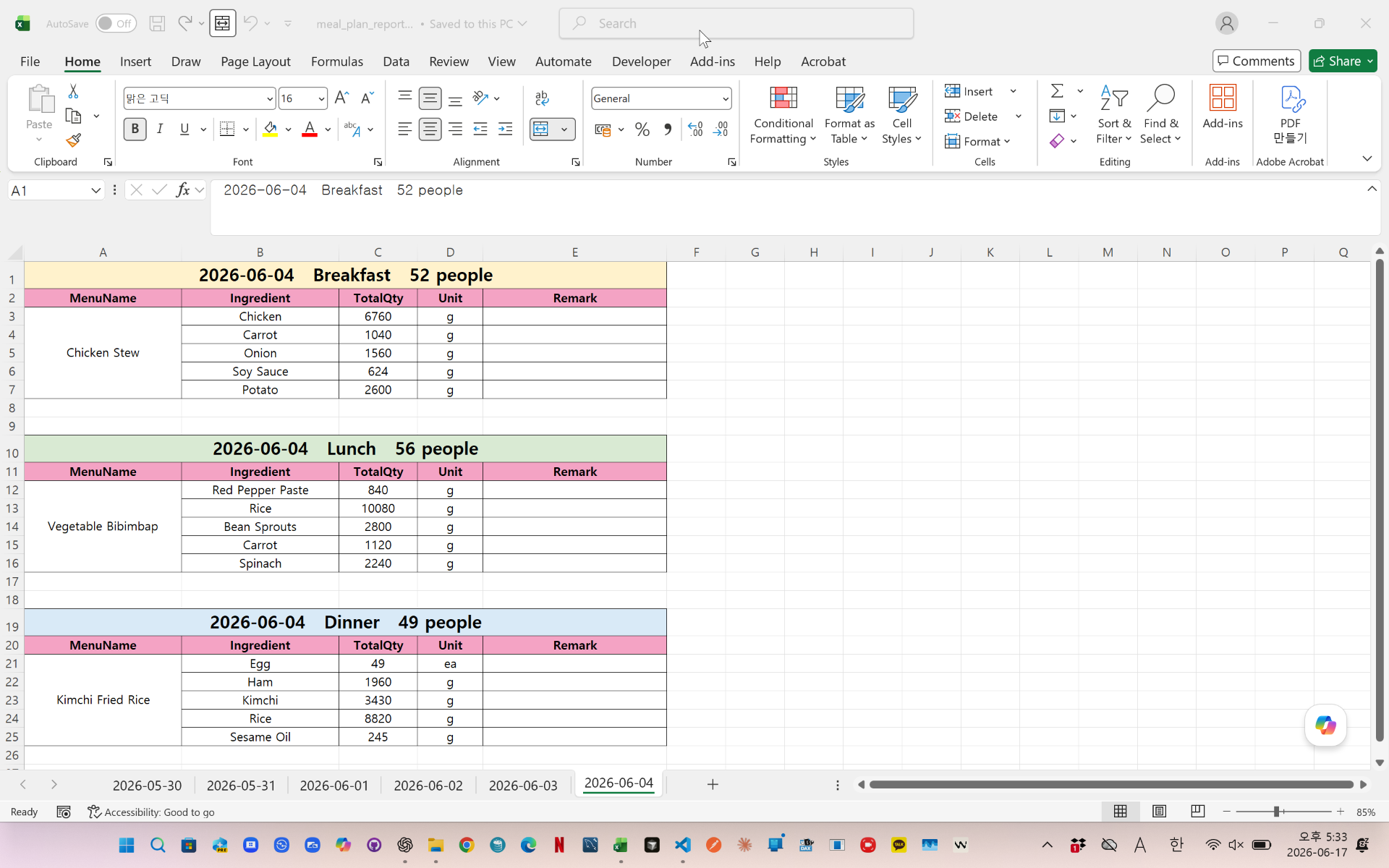
- Creates daily worksheets automatically
- Separates Breakfast, Lunch, and Dinner
- Generates formatted meal reports
- Merges menu sections
- Applies colors and borders
- Produces a print-ready Excel report
This solution is useful for schools, cafeterias, restaurants, hospitals, and food service management.
videolink - https://youtu.be/FE21wZ91WKE
Download the sample file below.
You can download the zip file in [Download] page
The file name is 49.meal_plan_recipe_auto.zip
Use the English M code provided for your dataset.
You may need to manipulate the M code under your circumstance. You consider this point and use M code
below txt file is detailed-explanation. You use M code in reference with this explanation.
---------------------------------------------------------
Need a custom automation for your Excel workflow?
I can build a tailored solution based on your data.
✔ Used in real-world business automation
✔ Saves hours of manual work
minbedata@gmail.com
You can pay via PayPal.
You don't worry about conversing with me.
My Major is an English literature, so I can speak English fluently and read, listening, writing proficiently
korean version web address (한국버전) is
<a href="https://blog.naver.com/minbe-data" target="_blank">네이버 블로그 바로가기</a>