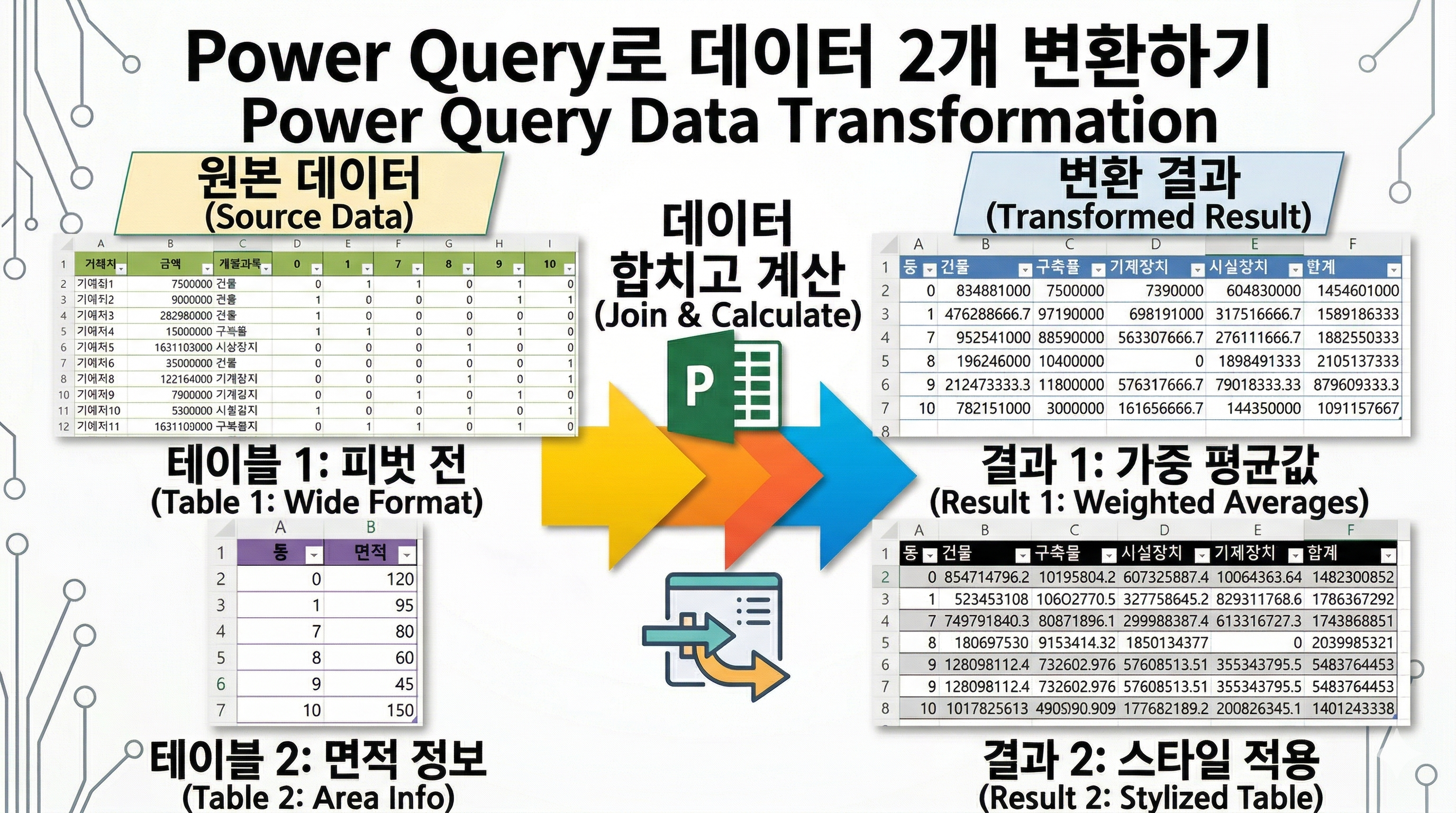
This tutorial shows how to allocate amounts across multiple units using Power Query.
You can distribute values evenly or proportionally based on area.
This method automatically updates when new data is added.
엑셀에서 거래처별 금액을
동별, 계정과목별로 나누어야 하는 경우가 있습니다.
단순히 나누는 것이 아니라
특정 동에만 해당 금액이 분배되고,
여러 동에 걸쳐 있을 경우에는
면적 기준으로 안분까지 해야 하는 상황도 자주 발생합니다.
이 작업을 수식으로 처리하려고 하면
SUMIFS, VLOOKUP 등을 조합해야 해서
구조가 복잡해지고 오류가 발생하기 쉽습니다.
이럴 때 Power Query를 활용하면
데이터 구조를 기반으로 금액을 자동 분배할 수 있습니다.
이번 예제에서는
여러 동에 걸린 금액을 균등하게 나누는 방법
면적 기준으로 비율 안분하는 방법
두 가지를 모두 구현했습니다.
특히 데이터가 추가되더라도
다시 계산할 필요 없이
새로고침만 하면 자동으로 반영되는 구조입니다.
실무에서 반복되는 엑셀 작업을 줄이고 싶다면
Power Query를 활용한 자동화 방식이 훨씬 효율적입니다.


videolink - https://youtu.be/P-c6Sp9dSxw
Download the sample file below.
You can download the zip file in [자료실][Download] page.
The file name is 36.면적당합계(allocate area).
Use the English M code provided for your dataset.
The original sample file is based on a Korean dataset.
You can apply the English M code to adapt it to your own data.
--------------------------------
Need a custom automation for your Excel workflow?
I can build a tailored solution based on your data.
✔ Used in real-world business automation
✔ Saves hours of manual work
minbedata@gmail.com
You can pay via PayPal.
You can also contact me via Upwork for secure payment and project handling.
<a href="https://www.upwork.com/freelancers/~01eb52dbd212cffc17" target="_blank">
Hire me on Upwork
</a>
You don't worry about conversing with me.
My Major is an English literature, so I can speak English fluently and read, listening, writing proficiently
korean version web address (한국버전) is
<a href="https://blog.naver.com/minbe-data" target="_blank">네이버 블로그 바로가기</a>