minbe-data 님의 블로그

  • 홈
  • 태그
  • 방명록

2026/05/30 2

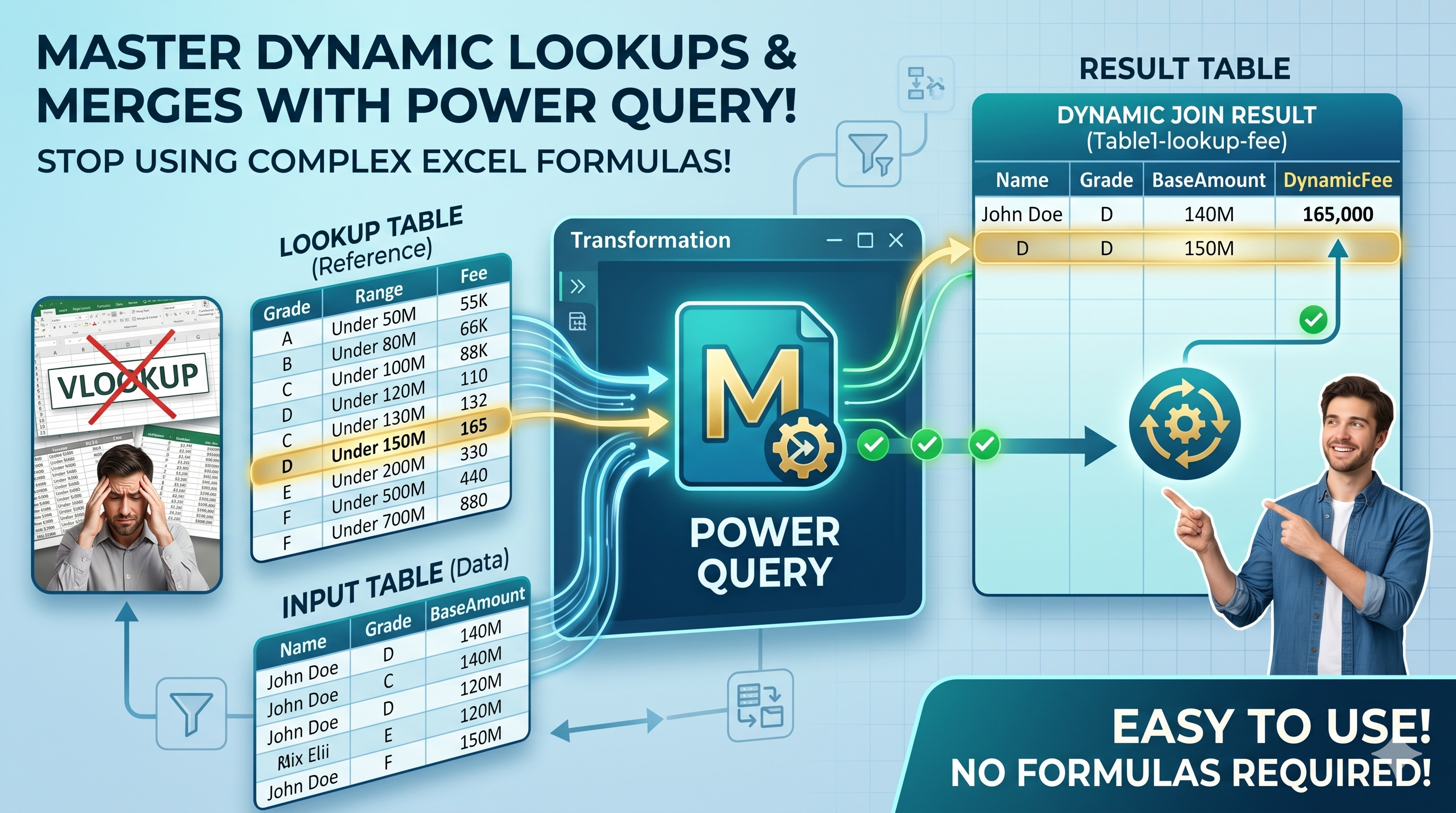
How to Calculate Fees Automatically by Grade and Amount Range with Power Query

Many pricing tables use both grade levels and amount ranges to determine fees. For example, the fee may vary depending on: - Customer Grade - Contract Amount - Loan Amount - Sales Amount - Property Value In this example, Power Query automatically finds the correct fee by comparing the selected Grade and Base Amount against a predefined fee table. The result updates automatically whenever the inp..
powerquery automation 2026.05.30

How to Consolidate Multiple Product Tables and Create Buyer Rankings with Power Query

Many Excel reports store product sales data in separate sections across a worksheet. For example, each product may have its own Buyer, Quantity, and Amount columns. While this layout is easy to read, it is difficult to analyze and summarize. In this example, Power Query automatically: - Extracts multiple product sections - Standardizes column names - Combines all product tables - Removes blank r..

powerquery automation 2026.05.30
이전
1
다음
더보기
프로필사진

minbe-data 님의 블로그

minbe-data 님의 블로그 입니다.

  • 분류 전체보기 (45)
    • Excel automation (3)
    • powerquery automation (42)
    • power BI (0)
    • Data system automation (0)

Tag

최근글과 인기글

  • 최근글
  • 인기글

최근댓글

공지사항

  • [Download] Excel Power Query Practice File Downloa⋯

페이스북 트위터 플러그인

  • Facebook
  • Twitter

Archives

Calendar

«   2026/05   »
일 월 화 수 목 금 토
1 2
3 4 5 6 7 8 9
10 11 12 13 14 15 16
17 18 19 20 21 22 23
24 25 26 27 28 29 30
31

방문자수Total

  • Today :
  • Yesterday :

Copyright © AXZ Corp. All rights reserved.

티스토리툴바