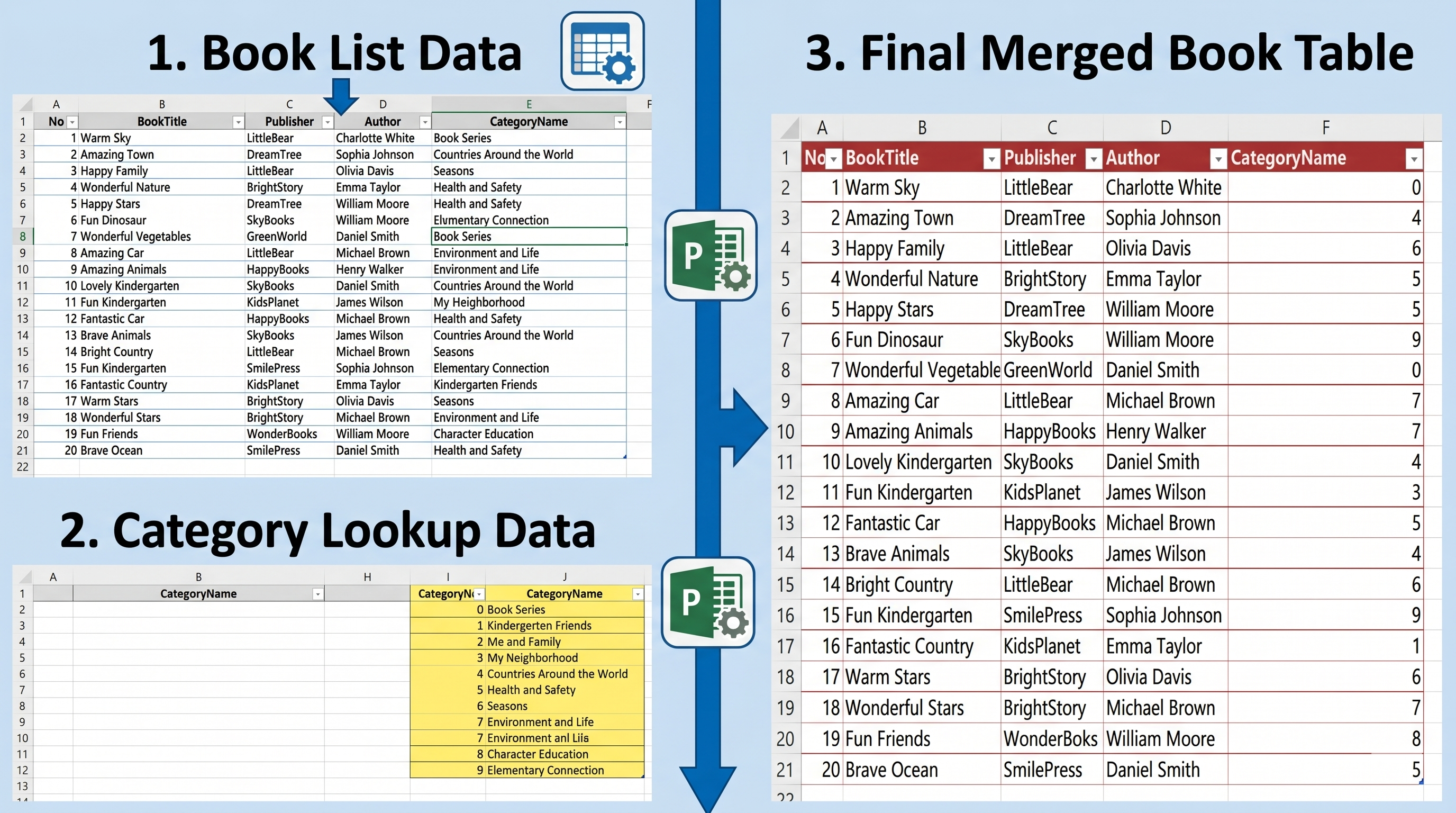
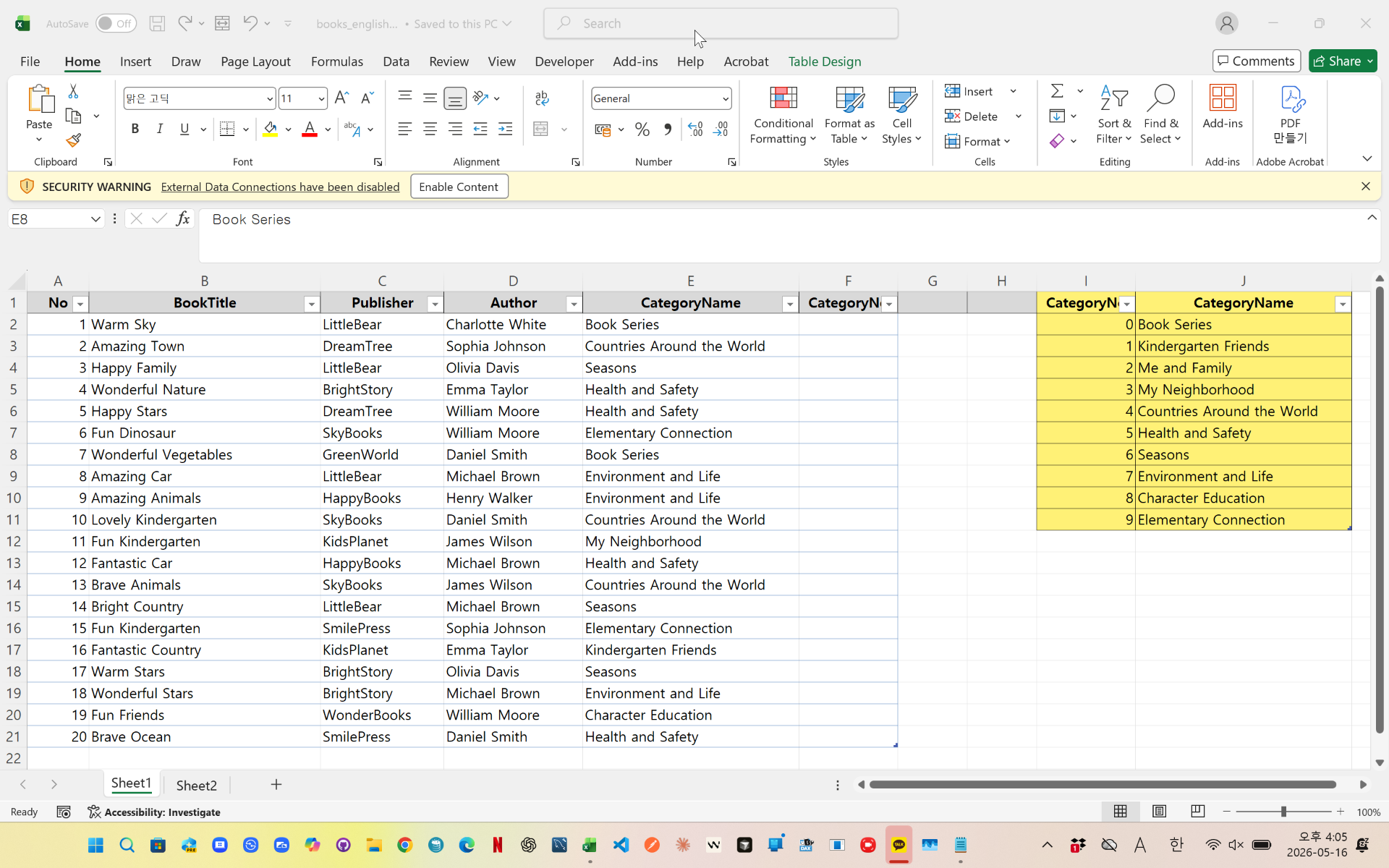
In Excel, category names and category codes are often stored in separate tables.
The problem is that category names may contain extra spaces, making exact matching difficult.
In this example, Power Query automatically:
- Merges two tables using CategoryName
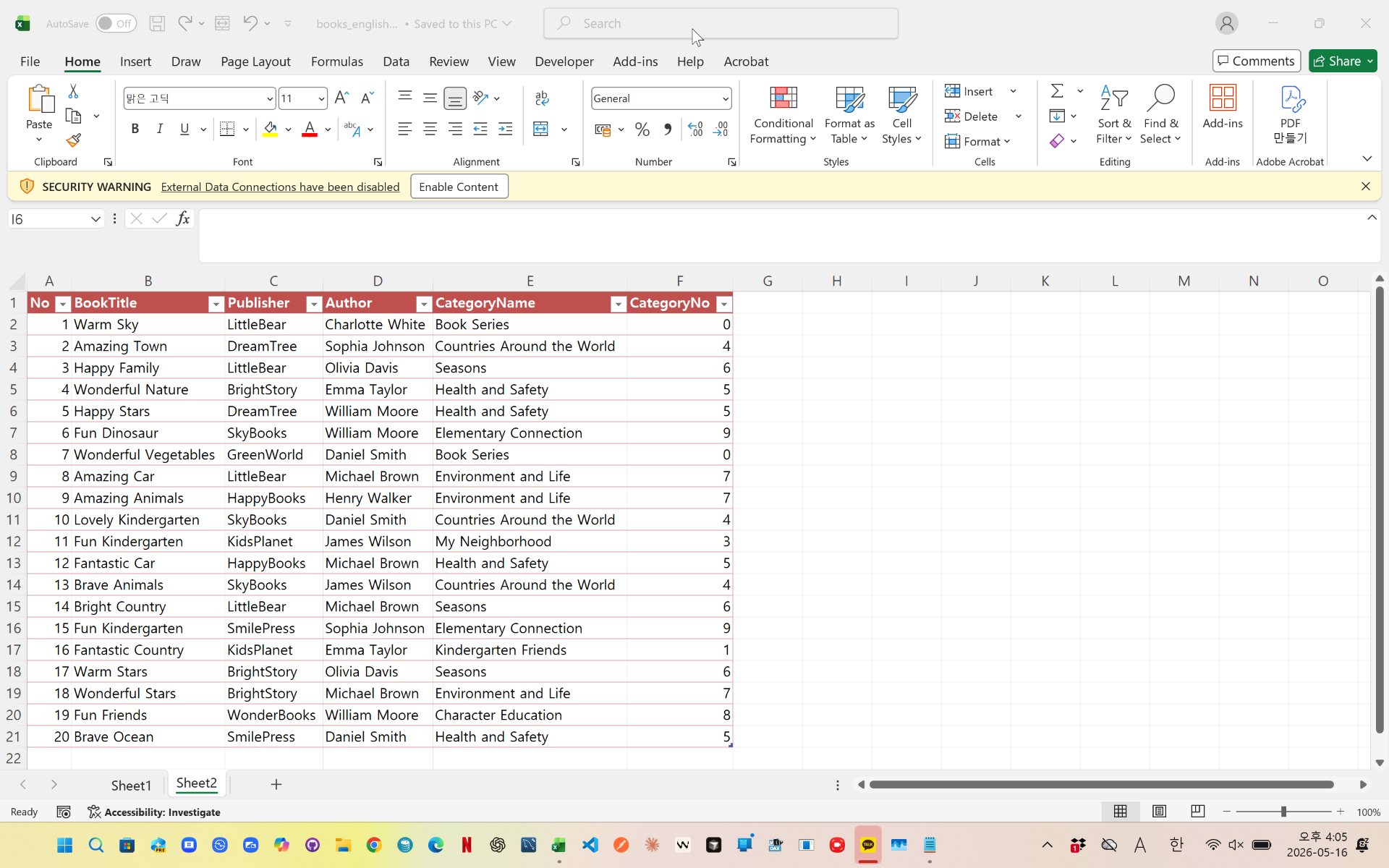
- Retrieves matching CategoryNo values
- Removes unnecessary columns
- Cleans text using Trim
- Filters unmatched rows
- Sorts the final result
This method is useful for product classification, category management, ERP data cleaning, and Excel automation tasks.
videolink - https://youtu.be/YxiStZeD358
Download the sample file below.
You can download the zip file in [Download] page
The file name is 26.book_category_merge.zip.
Use the English M code provided for your dataset.
You may need to manipulate the M code under your circumstance. You consider this point and use M code
below txt file is detailed-explanation. You use M code in reference with this explanation.
---------------------------------------------------------
Need a custom automation for your Excel workflow?
I can build a tailored solution based on your data.
✔ Used in real-world business automation
✔ Saves hours of manual work
minbedata@gmail.com
You can pay via PayPal.
You don't worry about conversing with me.
My Major is an English literature, so I can speak English fluently and read, listening, writing proficiently
korean version web address (한국버전) is
<a href="https://blog.naver.com/minbe-data" target="_blank">네이버 블로그 바로가기</a>