
Managing stock lists manually can be time-consuming when different symbols require different cell formats.
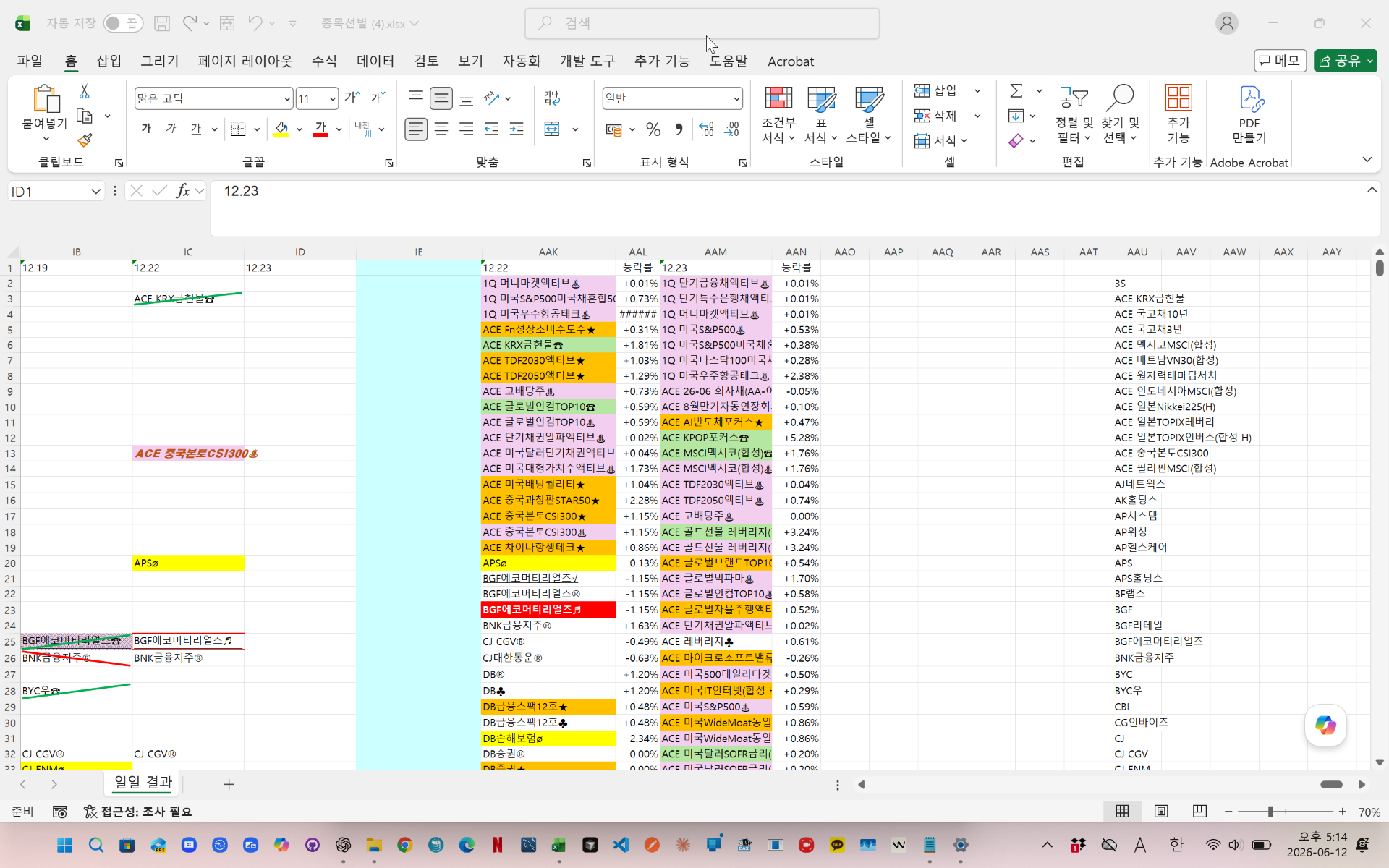
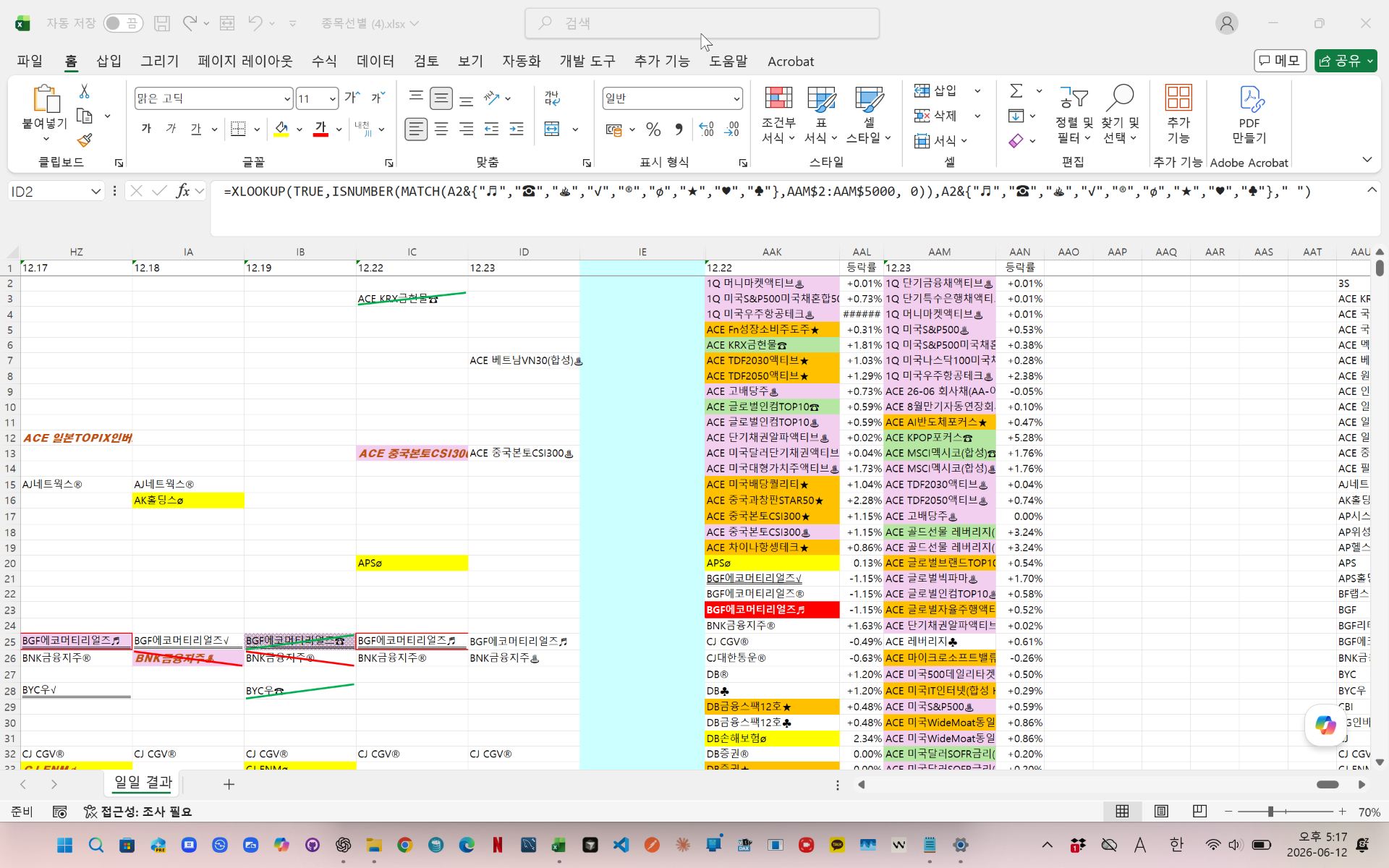
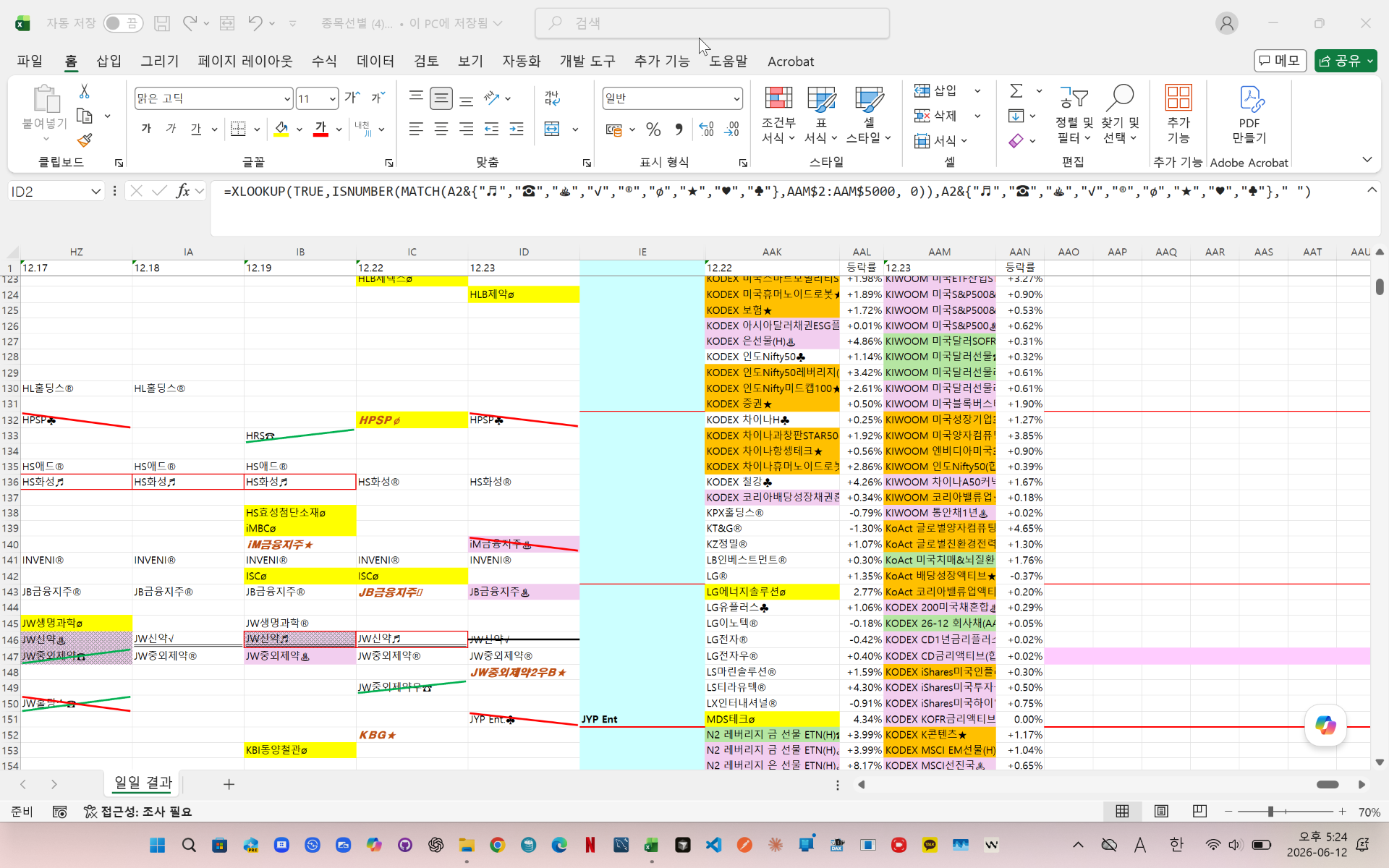
In this example, Python automatically analyzes stock symbols and applies predefined Excel formatting rules.
The automation process includes:
- Matching company names with stock symbols
- Applying background colors automatically
- Drawing diagonal lines
- Adding cross patterns
- Applying custom fonts
- Creating strike-through effects
- Formatting borders automatically
The workbook is updated automatically without manual formatting.
This method is useful for stock screening, investment tracking, financial reports, and Excel automation projects.Managing stock lists manually can be time-consuming when different symbols require different cell formats.
In this example, Python automatically analyzes stock symbols and applies predefined Excel formatting rules.
The automation process includes:
- Matching company names with stock symbols
- Applying background colors automatically
- Drawing diagonal lines
- Adding cross patterns
- Applying custom fonts
- Creating strike-through effects
- Formatting borders automatically
The workbook is updated automatically without manual formatting.
This method is useful for stock screening, investment tracking, financial reports, and Excel automation projects.
videolink - https://youtu.be/dauJzjzFpvs
Download the sample file below.
You can download the zip file in [Download] page
The file name is 50.python_stock_format_automation.zip.
Use the English M code provided for your dataset.
You may need to manipulate the M code under your circumstance. You consider this point and use M code
below txt file is detailed-explanation. You use M code in reference with this explanation.
---------------------------------------------------------
Need a custom automation for your Excel workflow?
I can build a tailored solution based on your data.
✔ Used in real-world business automation
✔ Saves hours of manual work
minbedata@gmail.com
You can pay via PayPal.
You don't worry about conversing with me.
My Major is an English literature, so I can speak English fluently and read, listening, writing proficiently
korean version web address (한국버전) is
<a href="https://blog.naver.com/minbe-data" target="_blank">네이버 블로그 바로가기</a>
'Excel automation' 카테고리의 다른 글
| Automate Excel Conditional Formatting with Python xlwings (Apply & Clear Formats) (0) | 2026.04.06 |
|---|---|
| How to Create a Year-over-Year Monthly Production Chart Using Power Query in Excel (0) | 2026.04.06 |
| 반복노동을 없애는 데이터 자동화 구조 (0) | 2026.03.10 |